Apple AirTag Battery Replacement
Takes under 60 seconds · No tools required · SIMPLE!
🔋 Battery needed:
CR2032 (3V)
✔ Widely available
✔ Lasts ~1 year
✔ Inexpensive multipack
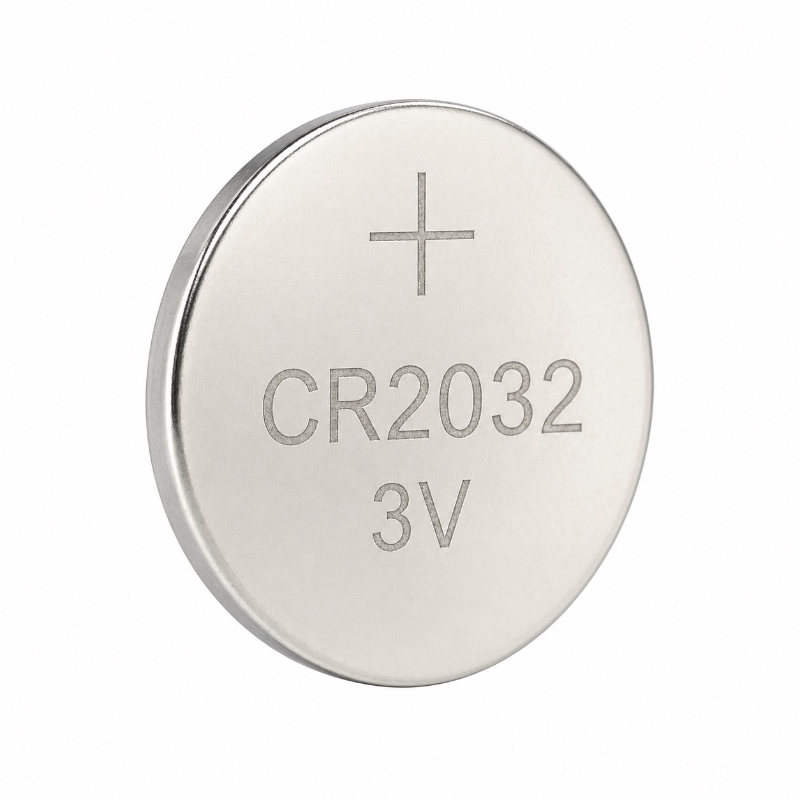
CR2032
Apple AirTag takes one CR2032 battery
The CR2032 is a 3V lithium coin cell battery. It lasts approximately one year in normal use. It is user-replaceable in under a minute with no tools.
Works with
Apple AirTag — all models ✔
How to know when your AirTag battery is low: Your iPhone will show a low battery notification in the Find My app under the Items tab. You may also hear a low battery sound from the AirTag itself.
⚠ Important — the bitterant coating issue
Some CR2032 batteries have a child-safety bitter (bitterant) coating on them that can prevent proper electrical contact inside the AirTag. This is the most common reason an AirTag stops working after a battery replacement — the battery looks fine and tests as charged, but the AirTag won't connect.
Some Duracell CR2032 batteries (particularly child-safety packs) have this coating. If your AirTag isn't responding after fitting a new battery, try a different brand such as Energizer, Panasonic, or Renata. Look for packaging that says "Compatible with Apple AirTag" to be certain.
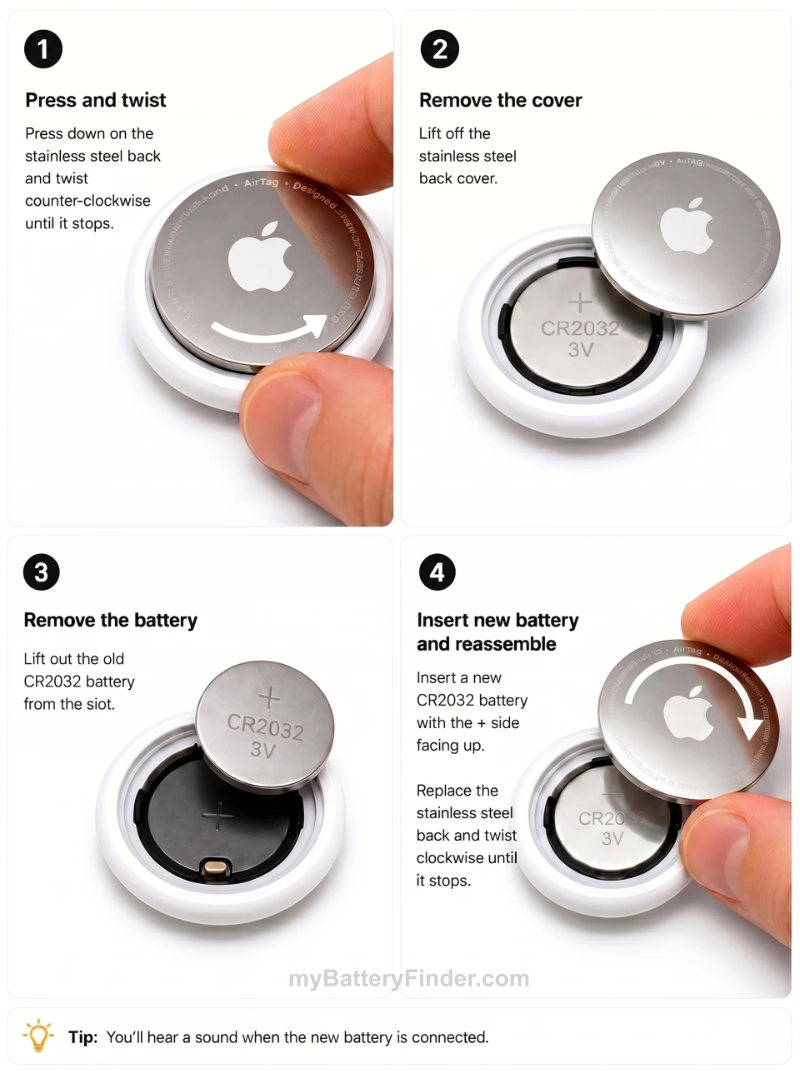
How to replace the AirTag battery
5 steps · Under 60 seconds · No tools needed
Show written instructions ❯
1
Position the AirTag
Hold the AirTag with the white plastic side facing down and the shiny stainless steel back facing up towards you. Place it on a flat surface if that's easier.
2
Press and twist counterclockwise
Press down firmly on the stainless steel back with your fingers or thumb. While pressing, rotate the cover counterclockwise until it stops — about a quarter turn. You will feel some resistance at first, this is normal.
3
Remove the cover and old battery
Lift off the stainless steel cover. The old CR2032 battery will be visible. Tip it out — it should come out easily.
4
Insert the new CR2032 — positive side up
Place the new CR2032 battery into the compartment with the positive (+) side facing upwards. The flat side with the + symbol faces up. You will hear a chime from the AirTag confirming it has connected successfully.
5
Replace the cover and twist clockwise
Place the stainless steel cover back on. Align the three small tabs on the cover with the three slots on the AirTag body. Press down and rotate clockwise until it stops and locks.
Battery life tips
📍
Normal use lasts about a year. Occasional pings via the Find My network use very little power — the CR2032 is well-matched to AirTag's Bluetooth LE consumption.
🔊
Sound alerts drain the battery faster. If you frequently trigger the AirTag's built-in speaker to locate an item, this uses more power than passive tracking.
📡
Precision Finding uses more power. The U1 ultra-wideband chip that guides you precisely to your item uses more energy than standard Bluetooth tracking. Occasional use is fine.
🌡️
Extreme temperatures reduce battery life. Leaving an AirTag in a very hot car or freezing conditions can shorten the CR2032's lifespan significantly.
📱
Check battery status anytime. Open the Find My app on your iPhone → Items tab → tap your AirTag. Battery level is shown. A warning icon appears when it's time to replace.
AirTag not working after replacing the battery?
⚠️
AirTag not connecting / no chime. Almost always caused by a bitterant-coated CR2032. The bitter coating on some child-safety batteries prevents proper electrical contact. Try a different brand — Energizer, Panasonic, or Renata. Look for "Compatible with Apple AirTag" on the packaging.
🔄
Battery inserted wrong way round. The positive (+) side must face upward. The flat labelled side goes up, the ribbed edge goes down. Remove and reinsert if you're unsure.
📱
Still shows low battery in Find My. The app can take a few minutes to update after a battery change. Force-close Find My and reopen it. If the warning persists, the new battery may be faulty or poorly seated.
🔧
Cover won't twist back on. Make sure the three tabs on the steel cover align with the three slots on the AirTag body before twisting. Don't force it — realign and try again.
📦
Using a CR2025 by mistake. CR2025 is the same diameter but thinner — it will sit in the compartment loosely and may not connect. Always check the battery says CR2032 on the label.
Frequently asked questions
Can I use a CR2025 instead of CR2032 in an AirTag?
No. CR2025 is the same 20mm diameter but only 2.5mm thick, versus 3.2mm for CR2032. It may physically sit in the compartment but won't make reliable contact and will drain faster. Always use CR2032.
My AirTag isn't working after I replaced the battery — why?
The most likely cause is a bitterant-coated CR2032. Some Duracell child-safety batteries have a bitter coating that interferes with the AirTag's contacts. Try a different brand — Energizer, Panasonic, Sony, or Renata all work reliably. Also check the battery is inserted positive (+) side up.
What brands of CR2032 work best in AirTag?
Energizer, Panasonic, Sony/Murata, Renata, and Maxell all work reliably. Duracell CR2032 works too — but avoid the child-safety packs with bitter coating. Look for packaging that says "Compatible with Apple AirTag" if you're buying Duracell. Own-brand supermarket CR2032s are generally fine too.
Does AirTag beep when the battery is low?
AirTag does not continuously beep when the battery is low. The primary notification is a warning in the Find My app on your iPhone. You may occasionally hear a sound when you tap on the AirTag in the app, but it won't beep on its own just because the battery is running down.
How many AirTags does one CR2032 battery power?
Each AirTag uses one CR2032 battery. If you have a 4-pack of AirTags, you will need 4 × CR2032 batteries when it's time to replace them — though they may not all need replacing at the same time.
Is the AirTag battery user-replaceable?
Yes — completely. Apple designed the AirTag so anyone can replace the battery at home with no tools. The twist-off stainless steel cover gives quick access to the CR2032 cell. This is one of the AirTag's most user-friendly features.